AIXpose Platform Overview: Which Tool for Which Situation
Virtual staging, renovation, image enhancement, floor plan visualization - four tools, one platform. When to use each one and why a real-estate-specialized AI makes the difference.
Four specialized tools, one platform: AIXpose turns every property into the best version of itself - photorealistic, not like an AI filter.
If you have seen AI-generated real estate images before, you know that uneasy feeling: “This looks artificial - I do not trust this listing.” A slightly distorted furniture leg, a lamp that does not make physical sense, light coming from the wrong direction. Buyers notice this instantly - and that exact moment can damage trust before the first viewing is even booked.
AIXpose was built on one clear premise: an AI specialized exclusively in real estate marketing. That may sound like a detail, but it is the decisive difference. Generic image AI models are trained on everything - from portraits to landscapes. AIXpose learns one thing and learns it deeply: rooms, floor plans, furnishing styles, and real estate lighting situations. The result is imagery that does not stand out in a listing - in the best possible way.
In this guide, you get an overview of the platform’s four core tools, when to use each one, and how flexibly you can switch between them.
The Starting Point Is Always the Same - You Decide the Outcome
Before we go through each tool, one important point: AIXpose does not lock you into a fixed workflow. The beginning is always the same - create image(s), upload to AIXpose, choose an editing style, start - but from there, you decide what outcome you need.
And you do not need to stick to one version: for the same image, you can generate multiple styles in parallel and choose the one that best fits your target audience for the listing. Or show both - current condition and staged version, original and renovation preview - depending on how the buyer should understand the property.
The Four Tools - When to Use Which One
1. Virtual Staging - for Empty Rooms That Are Hard to Sell
Empty properties feel cold, look smaller than they are, and give buyers no emotional orientation. Virtual staging adds furniture, decor, and textiles to the original photo - aligned with your selected style.
When to use: Empty apartments, unfurnished new builds, handover properties after move-out. Any time rooms feel context-free for buyers.
Input: Smartphone photos, DSLR photos. 360 panoramas work as well, but should be split into individual images first.
Typical result: See it in the first post in this series.
2. Renovation - for Properties with Potential Buyers Cannot See
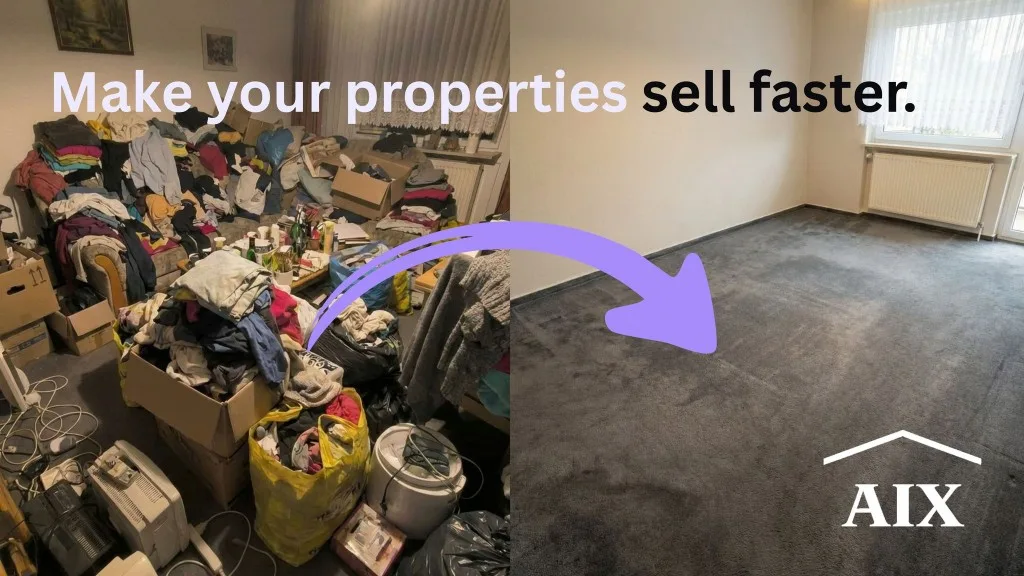
A property with old carpet, yellowed wallpaper, and an outdated kitchen often looks like a full renovation project in photos. Many buyers cannot imagine the improved version - and filter it out.
Renovation visualization reduces this entry barrier. Especially useful: you can either replace individual elements (for example only flooring or only the kitchen) or re-visualize the entire room. That gives you the choice between a subtle “what if the floor were new?” hint and a complete redesign vision.
When to use: Older buildings, inherited properties, renovation projects, shell properties.
Input: Smartphone or DSLR photos of the current condition.
3. Image Enhancement - when Capture Conditions Were Not Ideal
On-site conditions are rarely perfect: poor light, tight spaces, smartphone distortion, backlight at windows. Image enhancement turns your photos into automatically professional-looking visuals - no manual editing required, with results that feel like real estate photography.
When to use: When budget or timing does not allow a photographer. Or as a useful step before applying virtual staging.
Input: Smartphone photos (any quality), DSLR photos.
4. Floor Plan & 3D Visualization - when There Is Nothing to Photograph Yet
For new developments that do not exist yet, or properties with complex layouts that buyers struggle to understand: AIXpose creates 2D visualizations, 3D views, and single-room renders from floor plan images. From a 3D floor plan, you can even generate individual room visuals - ideal for building a complete off-plan listing package from one floor plan template.
When to use: New development marketing, off-plan sales, older property listings with complex layouts.
Input: Floor plan as image file (e.g. JPG, PNG).
Output: 2D visualized floor plan, 3D property view, single-room renders from the 3D floor plan.
One of your current listings is waiting to be presented better? Find the right tool
Why a Real-Estate-Specialized AI Makes the Difference
The market for AI-generated real estate images has exploded in recent years. Most tools deliver results that look good at first glance - until you look closely. Then you notice details that are off: outlets at the wrong height, shadows falling in two directions, furniture floating unnaturally in space.
For a property listing, this is not just a cosmetic issue - it is a trust issue. If a buyer thinks “this feels constructed,” the emotional connection to the property is lost before they even step through the door.
The difference with AIXpose: the AI is trained exclusively for real estate marketing. It understands how spaces work in reality - what furniture fits which room types, how light behaves in homes, and how materials must look to feel real. The result: visuals that do not stand out unnaturally in listings. They feel like part of the property, not like an overlay filter.
Pricing - a Credit System that Scales with You
AIXpose uses credits: 1 credit = 1 generated image, regardless of whether it is virtual staging, renovation, image enhancement, or floor plan visualization. Credit price depends on the selected plan:
| Usage | Price per Credit |
|---|---|
| Entry level / lower volume | up to EUR0.80 |
| Highest plan / high volume | from EUR0.55 |
For an independent agent with a few listings per month, EUR0.80 per image is already a fraction of traditional alternatives. For agencies and developers with higher throughput, pricing scales to EUR0.55 per image - at the same quality level.
You can find the full pricing overview with all plans here: View pricing
Key Takeaways
One platform, four tools. Virtual staging, renovation, image enhancement, and floor plan visualization work together - no tool hopping, no separate subscription per function.
One flexible starting point, many outcomes. The start is always the same (upload image, choose style, begin), but you decide what output to create - and can generate multiple styles in parallel for the same image.
Real-estate-specialized AI. AIXpose is trained exclusively on real estate marketing. That is why results do not feel synthetic in listings - they look like part of the property, not like an AI filter layered on top.
Ready to choose the right tool for your next listing?
Ready to Transform Your Listings?
Try AIXpose for free and see how AI-powered visuals can elevate your real estate business.
Get started free